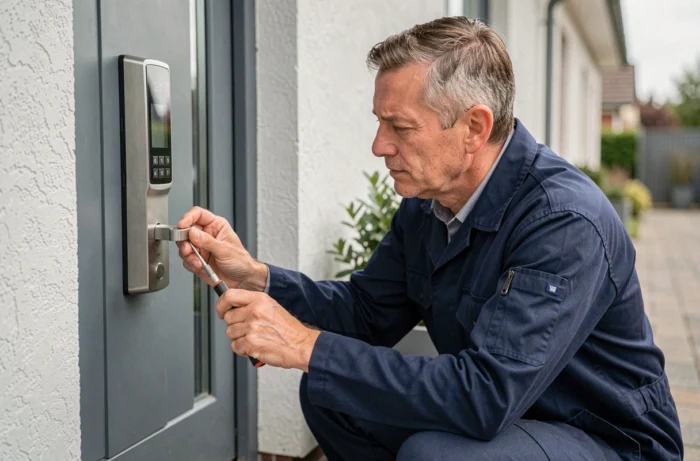
When placing a camera above the front door, the first question is not technical: it is whether the field of view extends onto the sidewalk or the neighbor’s hedge. Personalizing and securing your home starts with this kind of concrete detail, the one that turns a useful device into a source of dispute. Between the choice of devices, legal constraints of video surveillance, and the protection of stored data, each layout decision involves a precise arbitration.
Camera field of view: what the regulations allow for individuals
An individual installing a surveillance camera at home can film the inside of their home, their garden, their garage, or their private access. However, the field must never cover public roads or neighboring property. This is a strict limit, not a recommendation.
The other often overlooked point concerns the people who enter your home. A home helper, a nanny, a gardener, or any service provider who might be filmed must be informed before entering the covered area. Failing to provide this information exposes you to penalties.
To choose equipment suitable for your configuration (viewing angle, positioning, type of detection), you can rely on the services offered by IdentiTools, which list customization and security solutions suitable for individual homes.
Image retention and account access: protecting what your camera films
Installing a connected device is not limited to fixing a box to the wall. Recordings become a display surface if their access is not properly secured. A weak password on the cloud account or overly broad access sharing is enough to compromise the entire system.
Regarding retention duration, the CNIL recommends not exceeding 30 days. Beyond that, images must be deleted unless there is an ongoing judicial procedure. This means that automatic deletion should be set up as soon as the system is activated, not three months later.
Control points to check upon installation
- Enable two-factor authentication on the account linked to the camera, even if the manufacturer does not require it by default
- Limit the number of people who have access to the recordings (each additional access is an additional risk)
- Configure automatic deletion of images to comply with the recommended retention period
- Ensure that remote storage (cloud) uses end-to-end encryption, or prefer local storage on an encrypted SD card
Feedback on the reliability of cloud storage varies by brand. A well-configured local storage remains a solid alternative for households that want to maintain control over their data.
Camera in a condominium: a different decision-making process
In a single-family home, decisions are made alone. In a condominium, filming common areas requires a vote at the general assembly. This is not a mere administrative detail: without this authorization, the installation can be contested, and removal can be demanded.
When the filmed areas are accessible to the public (open entrance hall, unsecured parking), a prefectural authorization may also be required. This shifts the project from a personal initiative to a system governed by public law.
Most security guides only address single-family homes. If you are a co-owner, anticipate this process before purchasing any equipment. A point on the agenda of the next general assembly is better than a formal notice from the property manager.
Smart cameras and algorithmic analysis: legal limits
Cameras sold to individuals increasingly integrate automated analysis functions: face detection, silhouette recognition, human/animal distinction. These functions are useful for filtering false alerts, but they do not have a general freedom of use.
Algorithmic processing in publicly accessible spaces is strictly regulated. For an individual, as long as the camera is directed towards private space, there is more leeway. The problem arises when the device captures, even partially, a public passage or shared space.
What can be reasonably configured
- Motion detection with exclusion zones to avoid capturing the street or neighboring path
- Silhouette recognition to differentiate a human passage from an animal, without storing biometric data
- Targeted mobile notifications, allowing real-time responses without permanent recording
Enabling all available analysis options is not necessarily a good idea. Each additional function processes more personal data, which increases transparency and security obligations.
Home personalization and security: two approaches to coordinate
Personalizing your interior (home automation, connected lighting, smart locks) and securing it often involves two separate purchases made at different times. The result: equipment that does not communicate with each other, multiple applications, and gaps in overall coverage.
Coordinating personalization and security from the design phase avoids redundancies and blind spots. A connected outdoor light can trigger automatic lighting as soon as a motion sensor detects a presence. A connected lock can send an alert if it is manipulated outside of usual hours.
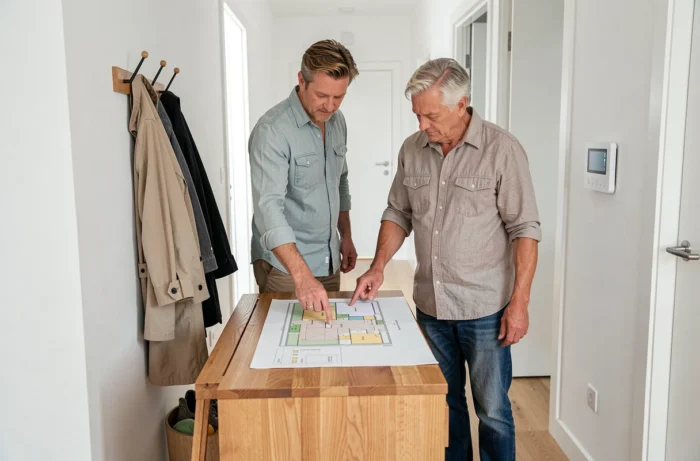
The most effective approach is to map the access points of the home (doors, windows, garage, gate), then define a detection and notification scenario for each point. This preliminary work reduces the number of necessary devices and simplifies daily management.
Protecting and personalizing your home is ultimately a single project approached through two lenses. Regulations set the framework, while the environment dictates technical choices. It is better to have a simple system, well-positioned and properly configured, than an accumulation of poorly configured sensors that no one checks for alerts.